Electric cars are growing in popularity worldwide. Charging them is important. EV Connect Charging Station helps drivers charge their cars easily. This article explains everything about EV Connect charging stations in simple words.
What is EV Connect Charging Station?
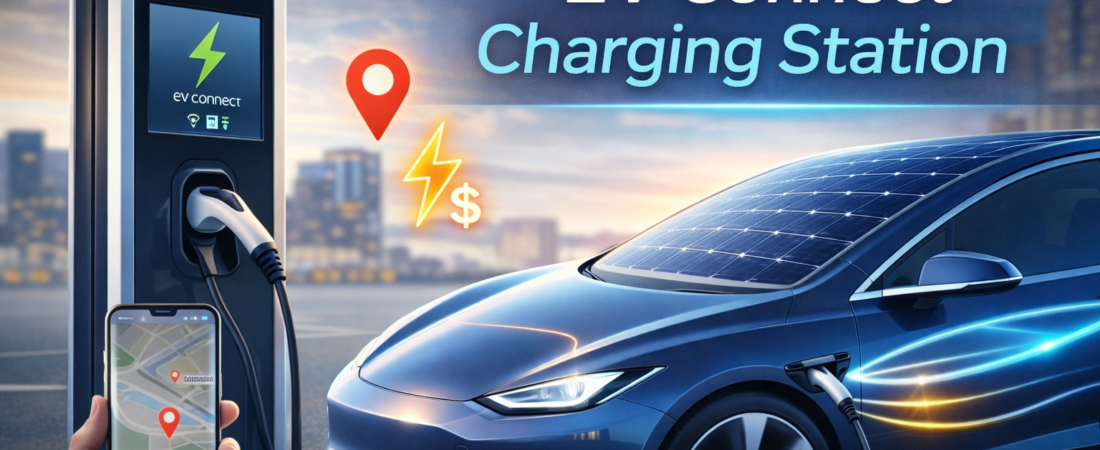
EV Connect is a company that offers electric car charging stations. These stations provide power to electric vehicles (EVs). Drivers can find, use, and pay for charging through an app. The charging stations are in many places like cities, parking lots, and offices.
EV Connect helps drivers find the closest charging station fast. The company uses technology to make charging easy and safe. It works with many types of electric cars.
Where to Find EV Connect Charging Stations?
EV Connect stations are in many cities. For example, you can find them in Austin, Texas. Use the EV Connect app to find stations near you. The app shows available chargers and their power levels.
- City streets
- Shopping centers
- Office buildings
- Parking garages
- Public parks
Using the app is the best way to know where stations are. It also tells you if chargers are free or busy.
How to Use EV Connect Charging Station?
Charging your electric vehicle with EV Connect is simple. Follow these easy steps:
- Download the App: Get the EV Connect driver app from your phone’s app store.
- Create an Account: Sign up and add your payment method, like a credit card or RFID.
- Find a Station: Use the app to locate nearby charging stations. Check if they are available.
- Plug In: Connect the charging cable from the station to your car’s charging port.
- Start Charging: Use the app to start. You can scan the QR code on the station or enter the station ID.
- Pay: Confirm your payment in the app to begin charging.
- Monitor Charging: Watch the charging status on your phone. The app sends notifications when charging is done.
- Stop Charging: When charging finishes, stop the session in the app.
- Unplug: Remove the charger from your car and place it back on the station.
That is all you need to do to charge your car. The app guides you step by step.
Why Does EV Connect Place a Pre-Authorization Hold?
When you start charging, EV Connect places a hold on your payment card. This is normal. It is not the final charge. It is like a gas station holding money before you pump gas.
Reasons For The Hold
- Securing Funds: It makes sure you have enough money to pay.
- Preventing Abuse: It stops people from charging too long without paying.
- Standard Practice: Many charging networks use this method.
The hold will be removed after charging is complete. You will only pay for the electricity you use.
How Long Does Charging Take?
Charging time depends on your car and charger type. Some chargers are fast, others slow.
| Charger Type | Charging Speed | Approximate Time |
|---|---|---|
| Level 1 (120V) | Slow | 8 to 20 hours |
| Level 2 (240V) | Medium | 3 to 8 hours |
| DC Fast Charger | Fast | 30 minutes to 1 hour |
Use the app to check charger type and charging speed. It helps plan your time better.
Benefits of Using EV Connect Charging Stations
EV Connect offers many benefits to electric vehicle owners. Here are some key advantages:
- Easy to Find: The app shows where to charge nearby.
- Simple Payment: Pay securely through the app.
- Reliable Stations: Stations are well maintained and safe.
- Real-Time Info: See station availability and power status.
- Notifications: Get alerts when charging is complete.
- Supports Many Cars: Works with most electric vehicles.
These features make EV Connect a good choice for charging your car.
Tips for Using EV Connect Charging Stations
To have a smooth charging experience, keep these tips in mind:
- Always download and update the EV Connect app.
- Make sure your payment method is ready before you charge.
- Check charger availability in the app before going to the station.
- Keep your car’s charging port clean and free from dust.
- Follow safety rules when plugging and unplugging cables.
- Don’t leave your car plugged in longer than needed.
- Report any problems with stations using the app or customer support.